Today view
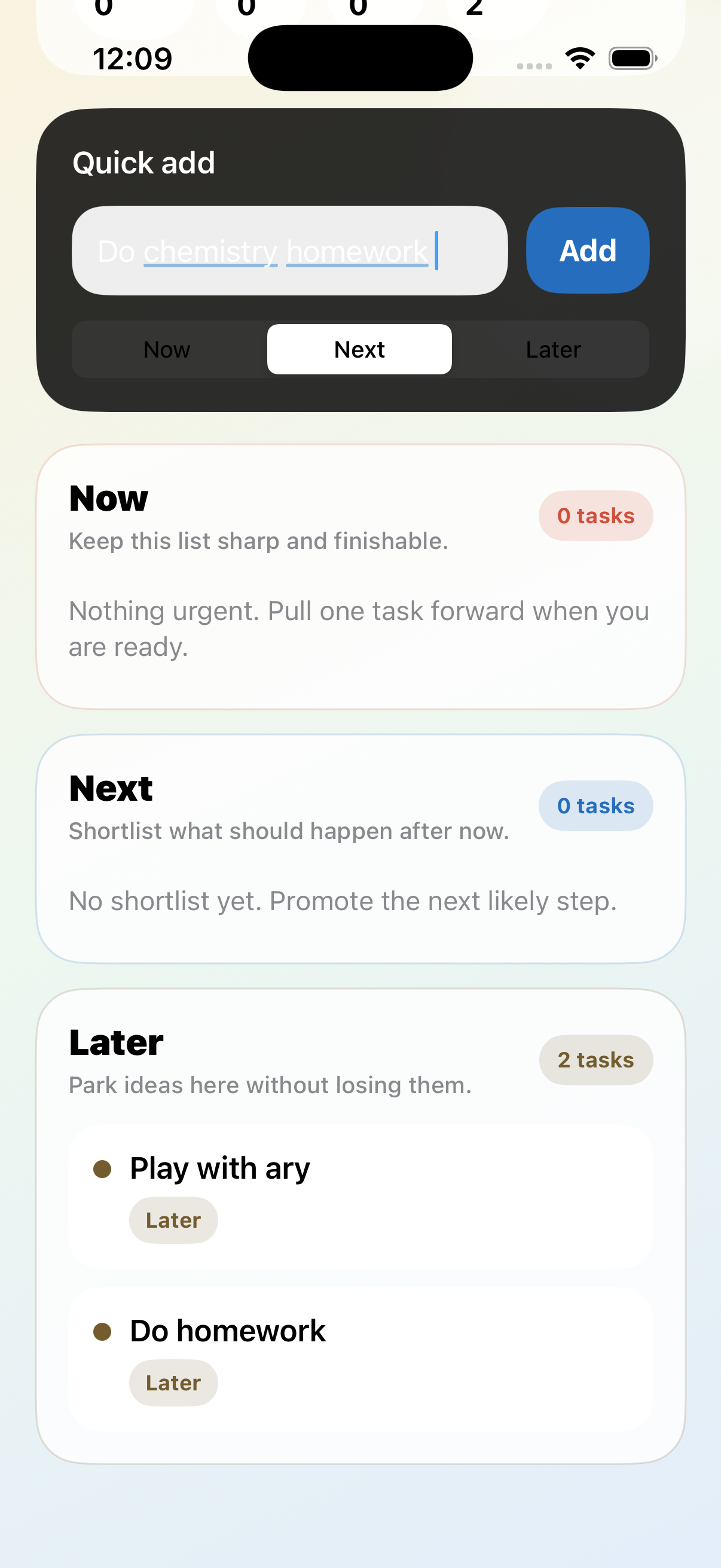
Quick add, streak context, and the Now / Next / Later task model are visible immediately so the app can reduce planning friction.
Nudgy is a quiet, low-friction task app for people who want structure without shame. It helps you sort tasks into Now, Next, and Later, focus on one clear action, and build momentum through gentle streaks and visible progress.
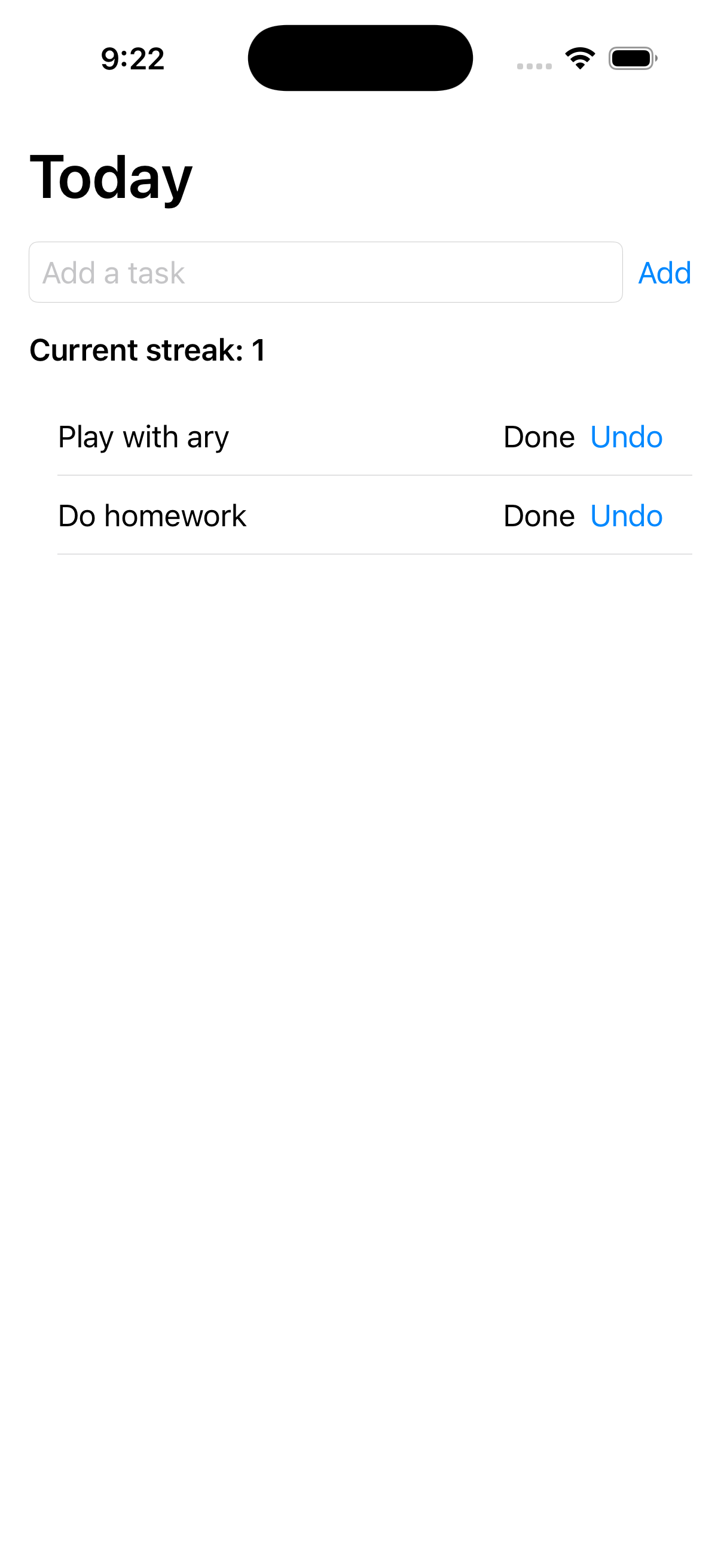
These screenshots come from the current iPhone build in this repo. They show the task flow, momentum feedback, and settings-oriented UX that the product docs describe.
Quick add, streak context, and the Now / Next / Later task model are visible immediately so the app can reduce planning friction.
Progress stays visible through awards, while reminders, privacy, and accessibility guidance stay easy to find in settings.
The product is designed around consistency, forgiveness, and clarity. A missed day does not erase progress. One useful action still counts.
Instead of asking you to perfectly prioritize everything, Nudgy uses three simple buckets so tasks have a home without becoming a long, flat list.
Set a daily goal based on completed tasks or focus minutes. Meet the threshold and the day counts. Recovery after a single missed day is treated gently.
When everything feels noisy, Pick One surfaces a single recommended task so you can start moving without another planning spiral.
The current iPhone app focuses on the core loop: capture a task, choose the next action, log progress, and stay oriented.
Nudgy is designed as a local-first app. Task titles and notes stay on your device. The app is intended to avoid collecting task content.
Tasks, completions, and focus sessions are stored locally on the device for the core MVP experience.
Product analytics, if used, are limited to anonymous app events such as task completion, streak changes, focus sessions, awards, and reminder enablement.
Reminder settings, privacy messaging, and accessibility-oriented behavior are part of the product’s baseline experience.
If you are submitting this site for App Store metadata, use the pages below as your public support and privacy URLs.
Visit the support page for contact details, troubleshooting guidance, and expected response times.
Visit the privacy policy for a plain-language summary of what the app stores, what it does not store, and how reminders work.